
Its going to be a very simple and basic blog where i will show you how you can count number of related records for e.g.
- number of cases related to account/contact
- number of opportunities related to account/contact
- number of active quotes for a contact
this list can go one. In short wherever you have 1:N relationship ; you should be able to perform this operation. it will show something like below :
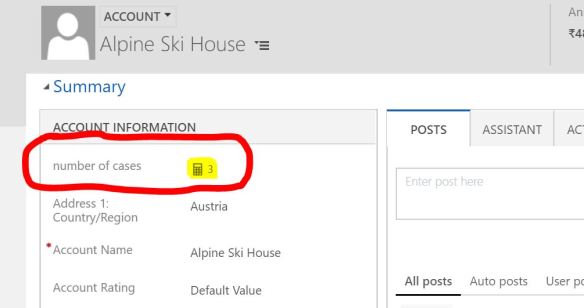
- To do this create a field on parent record – select the name and select the data type as “whole number” and field type as “RollUp” :
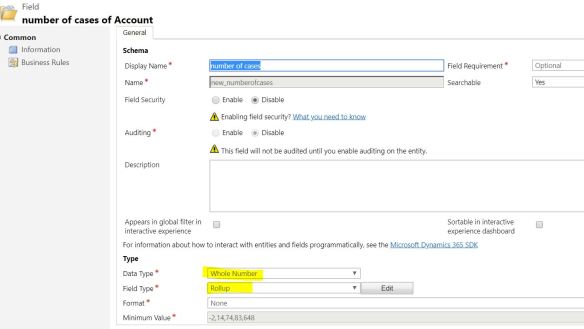
- after doing this as soon as you click on “edit” – it saves the field and give you an editor , just like a business rule select the cases(customer) as a related entity.
- you can define condition below that for e.g where status of the case = active or where cases owner is a particular user.
- finally in the Aggregation select “COUNT” and in the next field it will show you just one option as case.
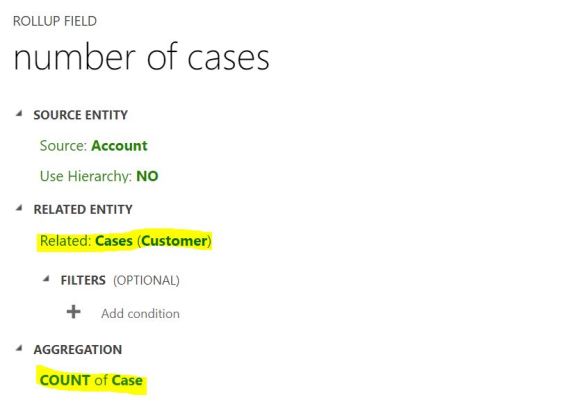
- finally save the editor and put this field on the form. When you open the form after the publishing all customization , you might see this as 0 at first place its because rollup fields are nothing but system jobs in the background which runs at particular time ( 12 hours to be specific) but you can always force it by clicking to that refresh button in the field :
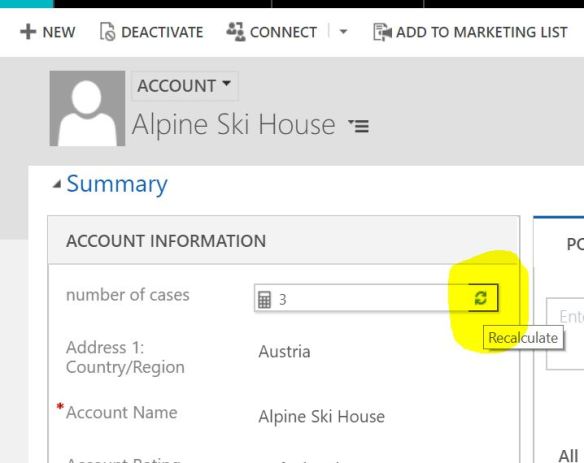
once all done you will have this field showing you the related records count.
i hope this helps!
 Give the appropriator name , select data type as Currency or as per your need > Select Field type as Calculated and click on Edit. As soon as you click on edit, system will actually create this field for you.
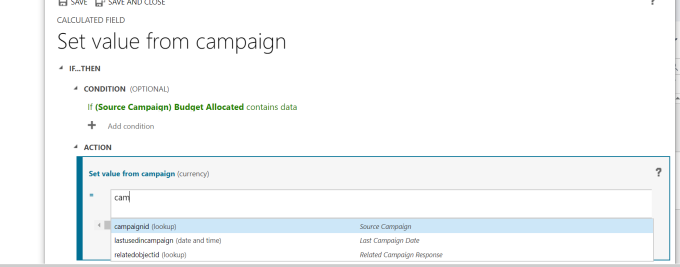

 Save and close the editor and also the field property window.
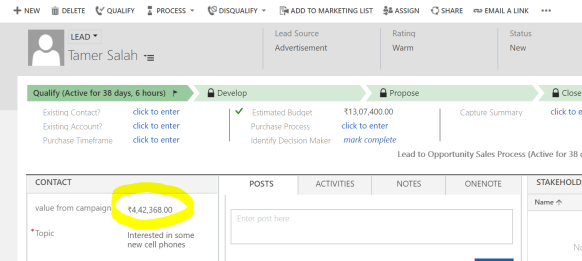 campaign :
 It is a very basic example i showed , i tried not to make it complex as it might become very confusing for a beginner. You can do a lot manipulation with the data by using out of the box functions that are available for a calculated field or apply your custom logic.hope this helps!
 Passion Dynamics