Unknown's avatar

About Rawish Kumar Prajapati

Microsoft Dynamics CRM Consultant MCSE : Microsoft Business Application

Why can’t I add a report to a solution – Dynamics CRM

Encountered this recently!

Hosk's avatarHosk's Dynamic Blog

The quick answer to the question is for me to stop being an idiot.

I had written my report, I had uploaded the report, it was running fine.

I then tried to add the report into the solution, opened my solution –> reports –> adding existing

I then couldn’t find my report!

checked the reports, yep it’s there

did an advanced find, the report appears.

I then edited the report and remembered, this report is a my report, a personal report.

This is the same as creating a personal view, unless you share it everyone then no one else can see.

Reports are slightly different because you can choose an option called Make available to organisation.

To find this option you have to go to the report you created –> Edit –> Actions –> make available to organisation

Then everyone can see it and more importantly you can add to…

View original post 29 more words
Tips For Passing MB2-715 Certification

I have recently passed MB2-715 Microsoft Dynamics 365 customer engagement Online Deployment Certification. It was really fun preparing for this certification and I achieved a good amount of learning. Therefore I would like give my inputs/Tips on this certification to whoever wants to complete it.


What This Certification Is About?

The purpose of this certification is to understand what it takes to plan, prepare & deploy Microsoft Dynamics CRM Online  365 for your client.

From choosing the right plan , number of license to managing multiple instances. All in All this is for people who would like to Admin a dynamics 365 CRM Online.


What will you get out of it?

Obviously a certification, however more importantly full knowledge of dynamics crm 365 online administration. Most of us are typical CRM developers, we hardly get to see how the CRM is being managed, pricing, licensing etc. This certification is a great opportunity to expand your horizon.


How to Schedule the exam ?

Well, you have to go to learning page of microsoft dynamics crm and explore the certification or directly : https://www.microsoft.com/en-us/learning/exam-mb2-715.aspx
it will ask you to chose the date , nearest center where you give exam or even online if you wish to. Finally once you have paid the amount, you are all set.!

Finally, How did I prepare and pass the exam?

I actually selected multiple sources from where i can learn which i would suggest you to take depending on your convenience.


That’s all from me. I wish you all the very best for the exam. Please let me know how it goes!

cheers!


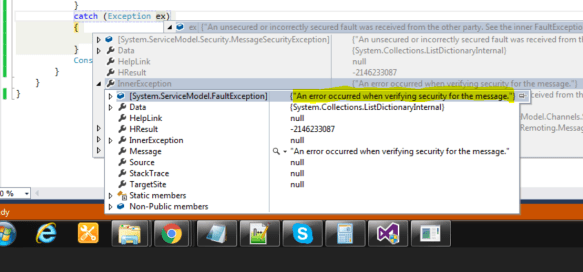
An unsecured or incorrectly secured fault was received from the other party

Issue :

Recently i have encountered this error when i was trying to connect to Dynamics CRM 365 online.

error1.PNG


I digged in further and found a post where couple of suggestions were mentioned :

https://community.dynamics.com/crm/f/117/t/204264

Solution : It was to do with my system settings(Time) – my system time was ahead of the server time. which means the request was going to server with a future time. 

hence i have changed the time in my system clock to be 5 minutes less. Which indeed worked.


I hope this helps!

Simplified Connection To Dynamics CRM 2016 Onpremise Using Console Application

Here is the quick code that i use when i have to build a console application that connects to dynamics crm onpremise version with AD/IFD Authentication.

Main Class:

ClientCredentials _clientCreds = new ClientCredentials();
_clientCreds.Windows.ClientCredential.UserName = ConfigurationManager.AppSettings["username"];
_clientCreds.Windows.ClientCredential.Password = ConfigurationManager.AppSettings["password"];
_clientCreds.Windows.ClientCredential.Domain = ConfigurationManager.AppSettings["domain"];
var organizationUri = ConfigurationManager.AppSettings["CRMUrl"];

_service = (IOrganizationService)new OrganizationServiceProxy(new Uri(organizationUri), null, _clientCreds, null);

OrganizationServiceContext _orgContext = new OrganizationServiceContext(_service);

App.Config:

<?xml version="1.0" encoding="utf-8"?>
<configuration>
<configSections>
<section name="AppSettings" type="System.Configuration.AppSettingsSection, System.Configuration, Version=4.0.0.0, Culture=neutral, PublicKeyToken=b03f5f7f11d50a3a" restartOnExternalChanges="false" requirePermission="false" />
</configSections>
<appSettings>
<add key="CRMUrl" value="https://Oranization.com/XRMServices/2011/Organization.svc" />
<add key="Username" value="rawishkumar" />
<add key="Password" value="password" />
<add key="Domain" value ="exampledomain"/>
</appSettings>
<startup>
<supportedRuntime version="v4.0" sku=".NETFramework,Version=v4.5.2"/>
</startup>
</configuration>


Required Assemblies:

using System.ServiceModel.Description;

using System.Configuration;

using Microsoft.Xrm.Sdk;

using Microsoft.Xrm.Sdk.Client;

Hope this helps!

SQL Connection to CRM Database

Dynamics CRM has very efficient web services using which you can retrieve data such as Organization service Or WebApi. However if you still need to retrieve data from database here is a quick code helper – which i am using in a console application.

//Initiate the connection
using (var connection = new SqlConnection(ConfigurationManager.ConnectionStrings["SQLServerConnection"].ConnectionString))
{
//create a command variable
using (var command = connection.CreateCommand())
{
//add query to your command
command.CommandText = "your SQLquery goes here";

// open the connection first and then execute the query using Execute Reader
connection.Open();
result = command.ExecuteReader();

here is the app.config which i have used , i am using the windows authentication hence you donot need to mention credentials.

<?xml version="1.0" encoding="utf-8"?>
<configuration>
<connectionStrings>
<add name="SQLServerConnection" connectionString="Server=.;Database=events.website;Trusted_Connection=True;"/>
</connectionStrings>
<startup>
<supportedRuntime version="v4.0" sku=".NETFramework,Version=v4.5.2"/>
</startup>
</configuration>

By Now you will have your dataset in “result”; here is another piece of code to read the data:

 if (result.HasRows)
{
 while (result.Read())
{
string contactid= result["columnName"].ToString();
string contact = result["columnName"].ToString();
DateTime createdonDate= (DateTime)result["createdon"];
string type = result["columnName"].ToString();
}

}
// close the result
 if (result != null)
result.Close();


I hope this helps!

Cheers!

System Form Dependency To A Custom Entity – CheckList

Following checklist should be completed in order to completely remove the all the dependency before exporting the solution and importing to your target environment.

  1. Make sure all relationships are removed ( i.e navigation from left hand side on form editor)
  2. Any Lookup field from that custom entity is removed
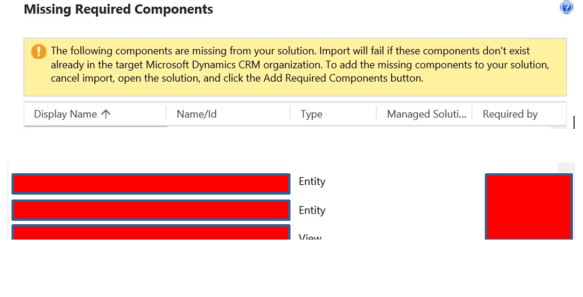
  3. The most important and neglected one and for which I find people scratching their heads is when this lookup is removed from the form and even entity is deleted. Still  Get dependency error something like below:dependency.PNG
    Resolution:  The lookup field was being referenced on another lookup which was acting as a “Dependent Lookup”. hence this entity was showing as system form dependency.  So i went to other lookup field —> changed properties and unchecked the option “Show related records”.You can also try to remove that field –> Publish —> add again —-publish.

Hope this helps!


Connect to Dynamics CRM 365 Online from Excel [Reporting]

I have seen a few blogs on how to connect to dynamics crm but most of them talks about connect with Odata endpoint. However with dynamics 365, Odata has  been deprecated hence you cannot use them and will get error.

Below is the step by step process to connect to dynamics crm 365 online from Excel.

  1. If you do not have power query option in your excel or its an old version. Please download the excel addin from here : https://www.microsoft.com/en-us/download/details.aspx?id=39379   and run the setup chose 32 or 64bit as per your excel.
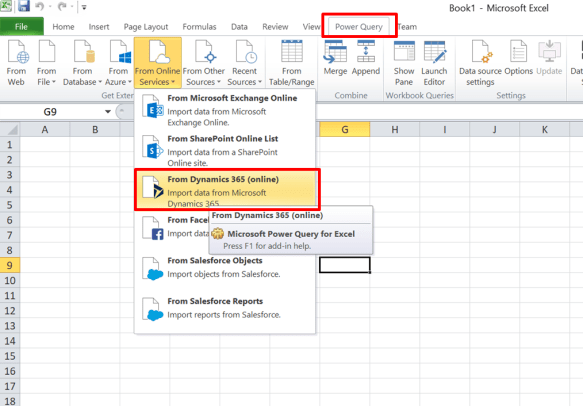
  2. Once done, Launch Excel and select “Power Query” Tab –>”From Online Services” Option  and select “From Dynamics 365(Online) from the dropdown.
    1.png
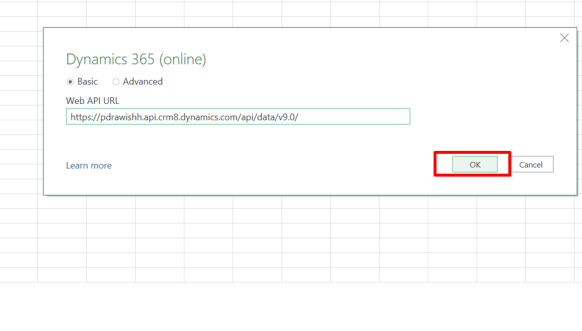
  3. In the next tab add Web Api endpoint of your online CRM ( you can find it from Customizations–>Developer Resources–>Copy “Instance Web API” url and paste it below:
    2
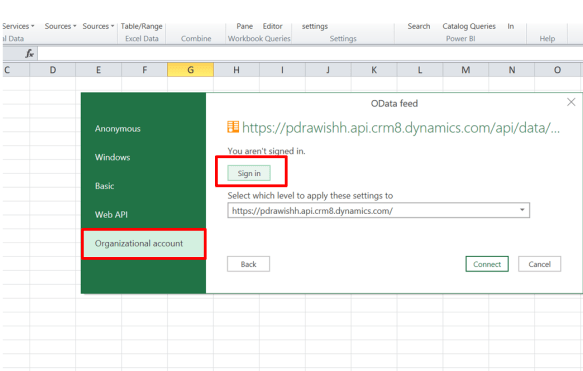
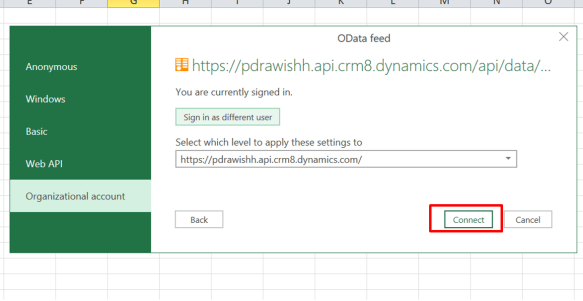
  4. In the next authentication screen – select “Organizational Account” and then click on “Sign In”.
    3
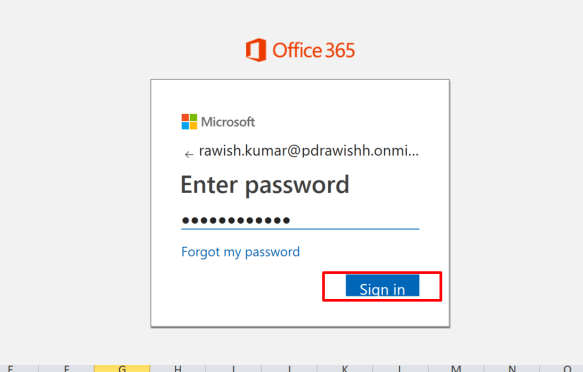
  5. Following step 4 will take you to your organization sign page. Enter username and password and click Sign In.
    4.PNG
  6. If Signed In successfully; you will be landed back to the authentication page. Click “connect”.5.PNG
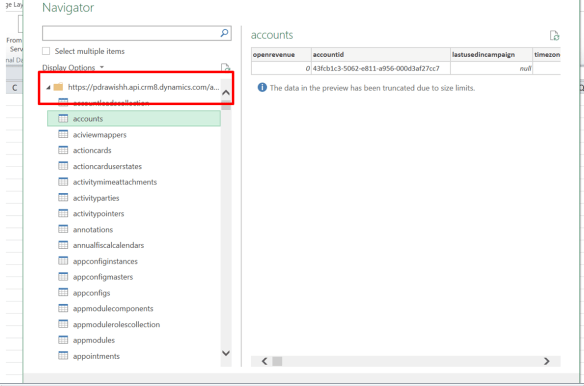
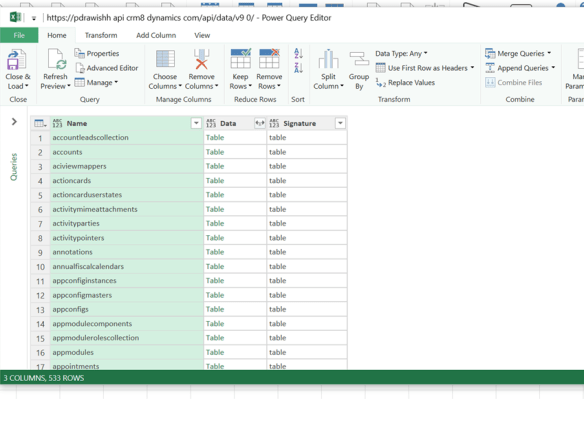
  7. Post this you will be presented with the connected org details( such as entities etc).
    6
    7.PNG
    I hope this helps.

How to connect to Dynamics CRM Onpremises AD/IFD from a Windows Form Application

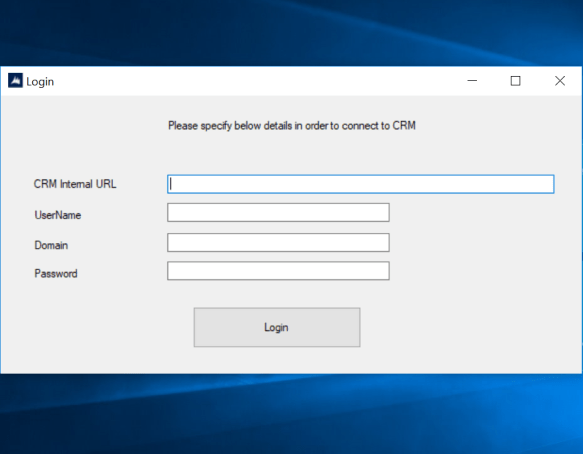
Being a CRM developer, you often need to develop some external application. In this blog i will talk about and provide the code to connect to dynamics CRM Onpremises in a windows form application.

Login

public static ConnectToCrm(string username, string password, string domain, string Url)
{

ClientCredentials _clientCreds = new ClientCredentials();
_clientCreds.Windows.ClientCredential.UserName = username;
_clientCreds.Windows.ClientCredential.Password = password;
_clientCreds.Windows.ClientCredential.Domain = domain;

if (username == "" || password == "" || domain == "" || Url == "")
{
MessageBox.Show("Please Enter All Details To Login!");
}

_service = (IOrganizationService)new OrganizationServiceProxy(new Uri(Url), null, _clientCreds, null);

OrganizationServiceContext _orgContext = new OrganizationServiceContext(_service);
Guid orgId = ((WhoAmIResponse)_service.Execute(new WhoAmIRequest())).OrganizationId;

if (orgId != null)
{
MessageBox.Show("Successfully Connected to CRM. Click OK");
}
else if(orgId==null)
{
MessageBox.Show("Could Not Connect to CRM. Click OK & Try Again!");
}
}

The _service can be utilized in your methods to retrieve the data and perform actions in dynamics CRM. i.e, below:

var fetchExpression = new FetchExpression(fetchXml);
EntityCollection fetchResult = _service.RetrieveMultiple(fetchExpression);

hope this helps!

cheers!

Couldn’t import a Custom Control Default Config for ObjectTypeCode 10022 because its ‘customcontroldefaultconfigid’ already exists on the system.

Issue:

When doing Dynamic CRM OnPremise deployment, you might get above error. I am not sure of the actual root cause but there are few fixes that you can apply.

In my recent blog i have showed a fix for CustomControlDefaultConfig related error :  https://rawishblog.wordpress.com/2018/05/10/singleton-retrieve-query-should-not-return-more-than-1-record-manged-solution-import-error-onpremise/


Resolution:

For the above error where it talks about duplicate CustomControlDefaultConfig , you can use below method.

Use below query to find out the duplicates:

with lst as (
select CustomControlDefaultConfigId, count(*) cnt
from CustomControlDefaultConfig
group by CustomControlDefaultConfigId
having count(*) > 1
)
select ent.name, lst.CustomControlDefaultConfigId, cfg.CustomControlDefaultConfigIdUnique,   cfg.*
from lst
inner join CustomControlDefaultConfig cfg on cfg.CustomControlDefaultConfigId = lst.CustomControlDefaultConfigId
left join entity ent on ent.ObjectTypeCode = cfg.PrimaryEntityTypeCode


Once you have the duplicates , delete those records from this environment, export the solution again & finally try to import to other environment. Hopefully this will resolve the issue.


Cheers!