Handle Boolean/Two Option Fields In Scribe Data Migration/Bulk Update

I know many CRM developer get into Data migration or bulk update operation from CRM system to other external/CRM system.

I have gathered few useful tips while dealing with boolean fields as in how to check the value , reverse the value , use nested if with OR & AND conditions etc. I have categorised them into below and provided explanation & solution.

  1. Check Values from Source & Set New Value 

    To check value of a boolean field from source do this and set other value:

    IF(S1=1, 0 , 1)

    (Here i am checking if S1 field value is “1” which is “TRUE” then set the new value to “0” which is “FALSE” otherwise the default will be to “1”.)

  2. Check Combination of boolean fields and Set New Value

    To check the combination of values i.e If a=1, b=0 then set some new value, Do this:

    IF(AND(S1=1, S2=1), 0 , IF(AND(S1=0, S2=0),1 ))

    (here i am checking if S1=1 AND S2=1 then outcome should be “0”.
    please note: you can use “OR” operator as well as per your requirement.)

  3. Check If the value is Null or Any error in retrieving the value and set default value

    You might have to handle null values in the package, to do this:

    IF(ISERROR(S1),TRUE(), FALSE())

    (here I am checking if S1 is null or any error then i am setting the value to TRUE otherwise FALSE.)

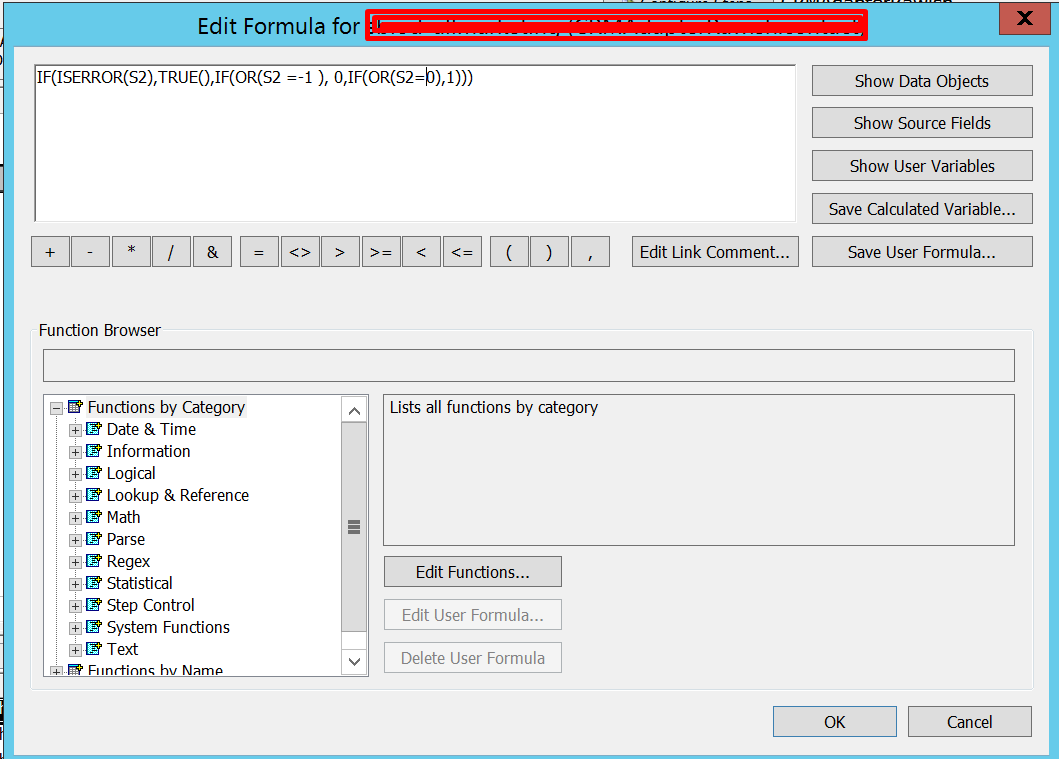
    you can also combine this with checking other values to such as if S1 =1 then 1 , S2=0 then 0 & if S2=Null then TRUE().

    IF(ISERROR(S1),TRUE(),IF(OR(S1 =1 ), 0,IF(OR(S1=0),1)))


    I hope this helps! I will try post help blog on other types of fields.
    cheers!
Plugin Image Not Transferred with plugin Step In Deployment

Quick Blog:

I have recently encountered this issue where in a plugin image was not transferred along with the plugin step in the deployment.

Cause:

The plugin step was profiled in the source environment and the solution containing it was exported and deployed to other org.

I have a feeling if your plugin is profiled, the image will not be taken to other environment. Obviously it was a miss from the developer but this is something new i saw.

Solution:

All i did was unregistered the assembly from target environment —> unprofiled the step in source system — >exported the solution again from source — ->deployed the solution to target.


Hope this helps!


Get Most Recent Created On Record from Retrieved Entity Collection In Plugin

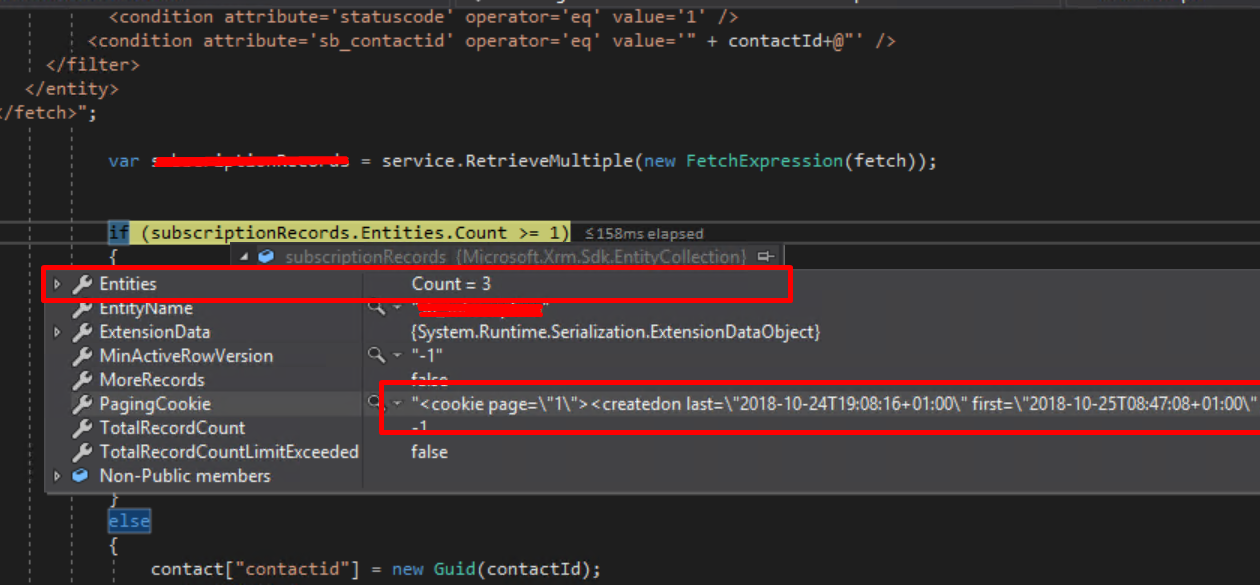
Sometimes, you may have a requirement to get the most recently created on record from the entity collection you have retrieved.

Instead of playing around a lot with coding and .net stuff, Dynamics CRM fetch XML and QueryExpression provides a way to sort records Ascending or descending.

Therefore, While retrieving records in FetchXML, do this :

<entity name='entityname'>
 <attribute name='atrributename1' /> 
   <attribute name='atrributename2' />    
    <attribute name ='attributename3' />                       
      <order attribute='createdon' descending='true' /> 
     <filter type='and'>                                  
     <condition attribute='statecode' operator='eq' value='0' />
   </filter>
</entity>

Or in Query Expression:

QueryExpression qe = new QueryExpression(entityName);
FilterExpression fe = new FilterExpression();
qe.ColumnSet = new ColumnSet(true);
qe.Orders.Add(new OrderExpression(columnname, ordertype)); 
service.RetrieveMulti ple(qe);


when Execute them , you will get the desired record on the top which can be access by simply by doing retrievedResult[0] or :

firstRecord= retrievedResult.Entities.First(); //first method.

firstrecord

I hope this helps!

cheers!


Retrieve Audit History Changes For A Particular Field/Attribute Of A Record

Description:

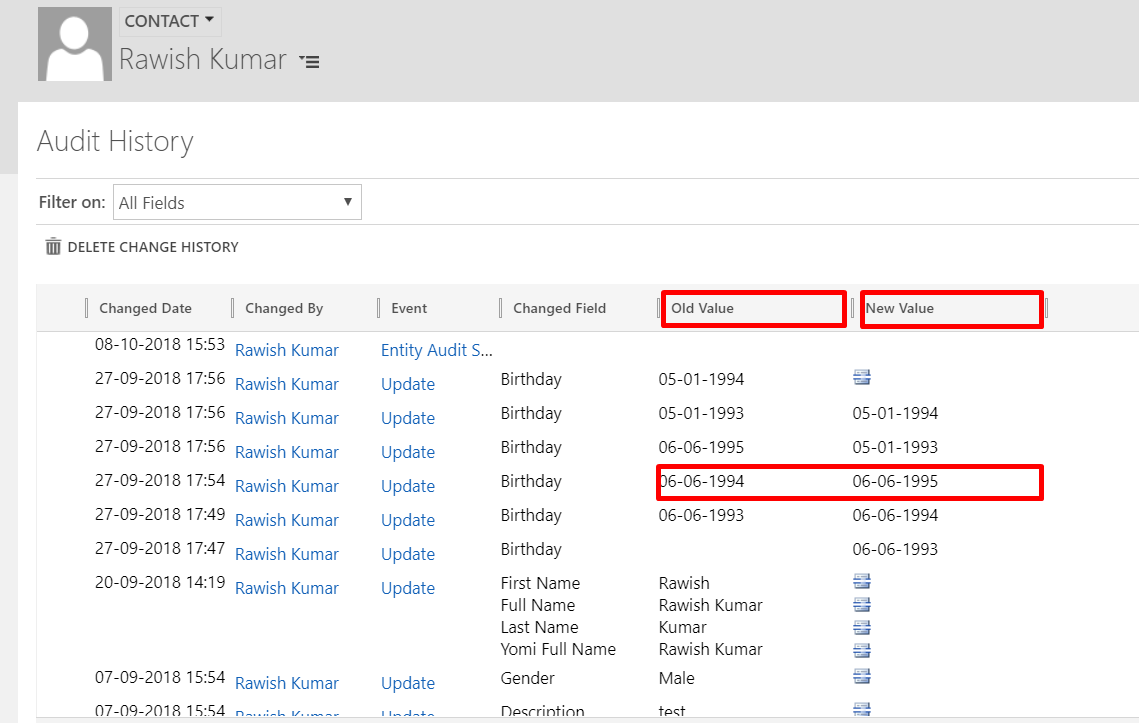
Sometimes we have a requirement to retrieve audit history changes for a particular field in CRM which may be for the purpose of checking if for e.g field A value which is at the moment set to “10”, was ever “5” or may be “3” or may be use old those values of fields to create a new CRM Record. In the below Image , you can easily retrieve old and new values at any given time on birthday field by looping on each audit record:

audit1

I have taken the reference from Dynamics CRM SDK & MSDN to figure out how this can be achieved.

Please note : To be able to use this you must have Auditing enabled on all three areas of CRM.

1. Auditing for whole Organization should be already turned on.

2. Auditing for Entity Should be already turned on.

3. Auditing for that Field should already be turned on.

Solution Code:

I have accomplished this on a console application , you can do it in plugins or custom workflows as per the requirement.

Required :

Namespace:   Microsoft.Crm.Sdk.Messages

Assembly:  Microsoft.Crm.Sdk.Proxy (in Microsoft.Crm.Sdk.Proxy.dll)

try
   {
//initiate a new retrieve request & add entity logical name + Guid of the record to retrieve
    RetrieveRecordChangeHistoryRequest changeRequest = new RetrieveRecordChangeHistoryRequest();
    changeRequest.Target = new EntityReference("contact", Id);                RetrieveRecordChangeHistoryResponse changeResponse =

//Execute the request, the "details" variable will have the audit data. 
    (RetrieveRecordChangeHistoryResponse)_service.Execute(changeRequest);
    AuditDetailCollection details = changeResponse.AuditDetailCollection;

// Retrieve Particular attribute change history by passing entity logical
//name and guid of the record, finally execute using RetrieveRecordChangeHistoryResponse
    var attributeChangeHistoryRequest = new RetrieveAttributeChangeHistoryRequest
      {
           Target = new EntityReference("contact", Id),
           AttributeLogicalName = "birthday"

       };

     var attributeChangeHistoryResponse = (RetrieveAttributeChangeHistoryResponse)_service.Execute(attributeChangeHistoryRequest);
     details = attributeChangeHistoryResponse.AuditDetailCollection;

//Details will have many records for example birthday change records, loop through all of them
       foreach (var detail in details.AuditDetails)
         {
             var detailType = detail.GetType();
             if (detailType == typeof(AttributeAuditDetail))
                  {
// retrieve old & new value of each action of each audit change from AttributeAuditDetail
                var attributeDetail = (AttributeAuditDetail)detail;
                foreach (KeyValuePair<string, object> attribute in attributeDetail.NewValue.Attributes)

                        {

                        string oldValue = "(no value)", newValue = "(no value)";
                        if (attributeDetail.OldValue.Contains(attribute.Key))

                       oldValue = attributeDetail.OldValue[attribute.Key].ToString();
                       newValue = attributeDetail.NewValue[attribute.Key].ToString();

                       if (oldValue !=null & newValue!=null)
                            {
                             // Do Something here!
                            }
                        }
                    }
                }
            }
            catch (Exception ex)
            {
                throw new Exception(ex.Message);
}

I hope this helps!

How to use Configuration Migration / Data Migration Utility in Dynamics CRM

venkateshgundrathi's avatarExplore Dynamics CRM

In this blog i will detail on using Configuration Migration/ Data Migration utility. This can be used to move the configuration data from one CRM environment to other. generally Configuration data is used to defines custom functionality in CRM, which is typically stored in custom entities.

Often we need to migrate configuration data from one CRM environment to other, especially test data, master data setup etc. Microsoft provided an excellent tool for doing this.

Following are the benefits of using this tool,

  1. allows you to select entity and fields from where you want to export the configuration data.
  2. large amount of data from multiple entities can be moved from one crm environment to other.
  3. Data can be imported using the same GUID’s as that of the source system, hence lookup references to imported records will be valid.
  4. Schema file can be reused to export data from different source environments.

Below…

View original post 718 more words

Solution Import Error 0x80044150 – Object reference not set to an instance of an object.

Issue:

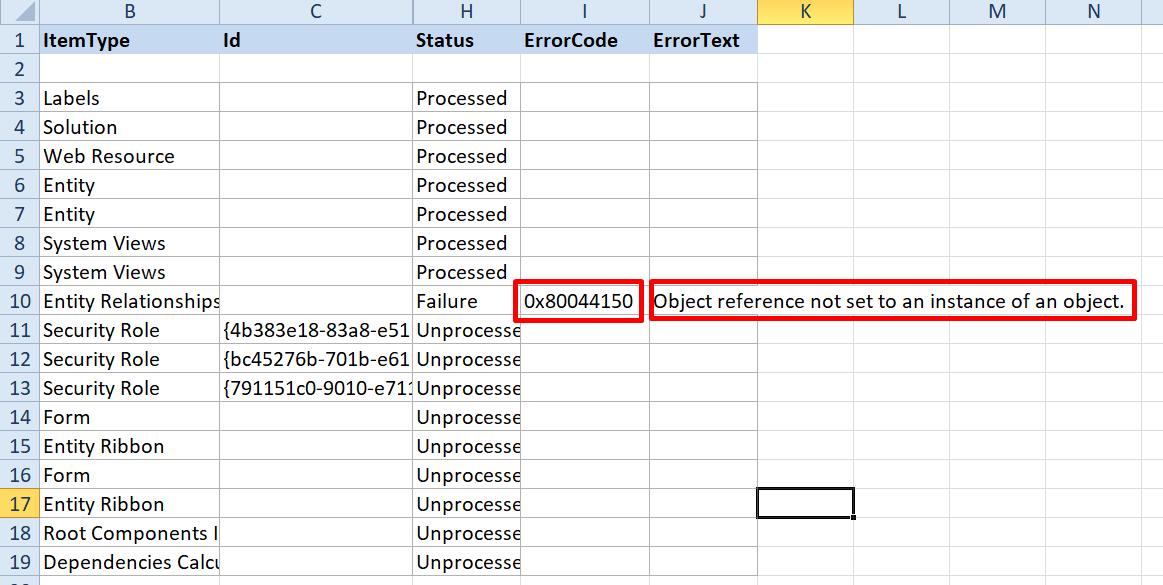
While importing a solution I got a generic SQL error but when i downloaded the log file i saw below error:

import error1

0x80044150 – Object reference not set to an instance of an object 

I have seen this error in plugins several times but never in import but root cause and underlying issue remains the same.

The import was trying to find something which was not there in target.

Solution

There was a relationship in my solution exist as N:1 to an entity which was deleted from target system way back hence this error occurred. Using the relationship given in solution, CRM was trying to find related entity which wasn’t there.


Hope this helps.

Dynamics 365 Diagnostics Tool for Online

Arun Potti's avatarArun Potti's Power Platform blog

Dynamics 365 includes a basic diagnostic tool that analyzes the client-to-organization connectivity and produces a report. To run the Dynamics 365 Diagnostics tool, follow these steps.

View original post 157 more words

When To Use Which Microsoft Dynamics CRM Web Service

thiking kid

Meet Jerry, he is wondering about dynamics crm services, In this blog I am helping him to understand when he should use which dynamics CRM web service.

Let’s first understand how many services dynamics crm offers post which will discuss which service to be used when:

  1. Web API
  2. Organization Service
  3. Organization Data Service
  4. Discovery Service
  5. Deployment Service

Web API

WebAPI is fairly new for dynamics CRM and i see many developers havent touched upon it. You should be using WebAPI Service while doing Client side development(preferably) such as Javascript, HTML etc. At this point its not easy to use WebAPI on server side but i am sure it will be possible in coming updates. Web API uses ODATA (Open data protocol). It also doesnt need any dynamics CRM related libraries or assemblies. You perform CRUD operation using XmlHttpRequests.  

Organization service

Organization service is basically a SOAP endpoint of dynamics crm and have been available since dynamics crm version 2011.  This Service has to be used with .Net Framework and for Business logic that runs in plug-ins or workflow assemblies on the server expect to use the Organization service.( So nothing client side). To work with Organization you have to use microsoft dynamics crm SDK i,e provided libabries and assemblies to interact with dynamics crm.

Organization Data service

It is also known as Odata service for dynamics crm which is Infact nothing but a “REST” Endpoint. You can utilise Odata endpoint in C# code( a server side code as well) but it is widely used for for client side scripting using javascript. However this has been deprecated with the release of dynamics crm 365 which means it is no longer supported. and completely replace with WebAPI.


Discovery web services

As the name suggest, this service should be used when you have mutiple CRM instances of dynamics crm in single deployment. You would use this service in your plugins ( the server side code) to get the current instance obtain the context.


Deployment web service

This service is barely used by developer as UI options are available. Such as Deployment manager etc. Use this service if you have create , delete or edit a dynamics crm organization/instance. Again its all server side.


I hope this clears your doubt as to when you would use which service and with what programming language.

Cheers!


Error While Connecting To CRM Online Using Kingsway SSIS Connector

Issue:

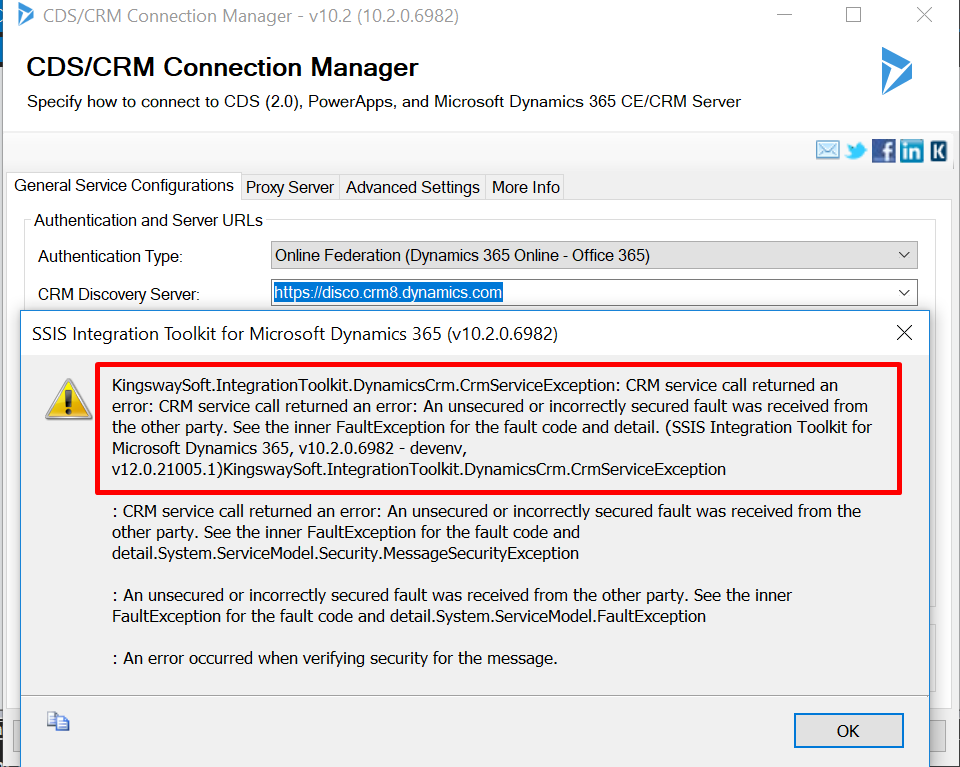
I have recently got this error when i was preparing an SSIS package for Dynamics CRM 365 Online and used Kingsway SSIS connector.

Kingsway1

Resolution:

After digging in further this error is mainly caused by the request and reponse timings,So, when i checked i found out my system time was somehow 5 minutes ahead of the current time, hence the request going to CRM server was of a future time and hence this error showed up.

All i had to do is fix my system time. Sometimes even if your system time is fine, you might still get the error, In that scenario too try to change the time as 5 minutes less.


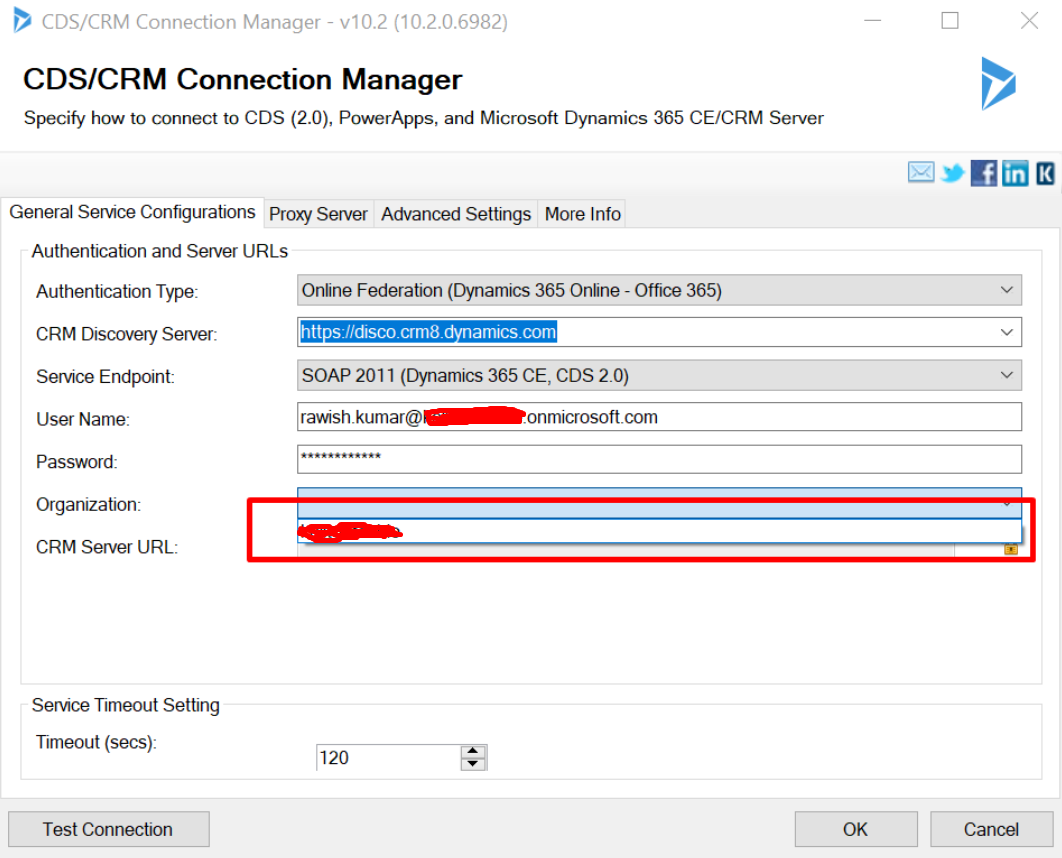
Once i did that -my organisation name popped up without any issue.
kingsway2.png


Hope this helps!

Cheers!